Acties
This is the overview of the tasks of a Zaak.
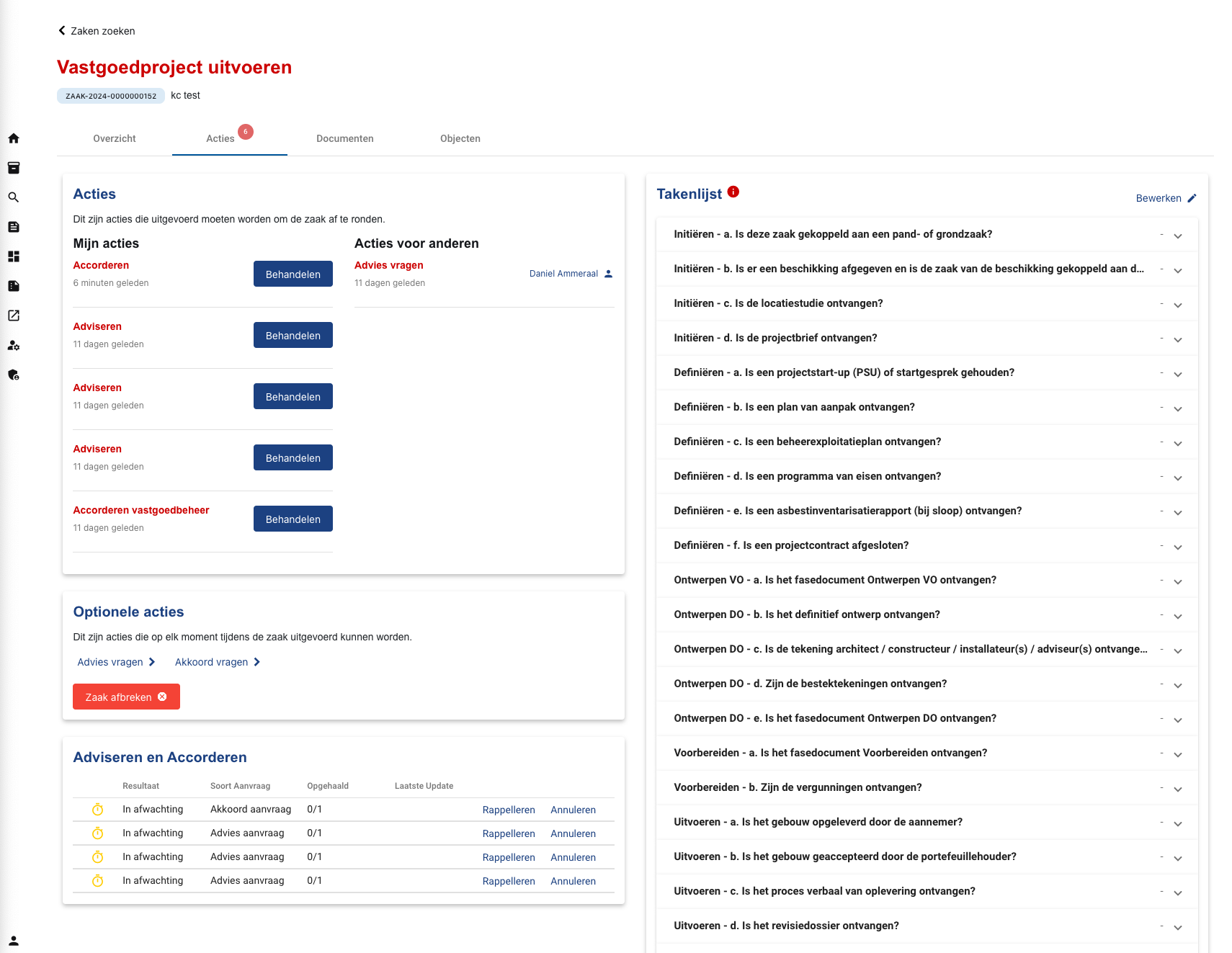
Task overview interface
Acties
This part displays the current tasks of a Zaak. It is divided into two sections: tasks assigned to the user and tasks assigned to other colleagues.
What are tasks? Each task is part of a Camunda process (for more information about Camunda please refer to the backend documentation). When opening a task, a pop-up with a form will show up. The user can fill in the form to finish the task. The layout of the form is configured in Camunda.
Triggering tasks Tasks can show up in two ways: - Trigger from “Optionele acties” in the section below. - By finishing a previous task that progresses the camunda process. The new step in the camunda process will create a new task.
A user with the proper rights is allowed to re-assign a task to another user. - To re-assign your own tasks to other users, click on the “Behandelen” and go to the “Toewijzen” tab. - To re-assign others’ tasks to yourself or other users, click on the currently assigned persons’ username in the right section.
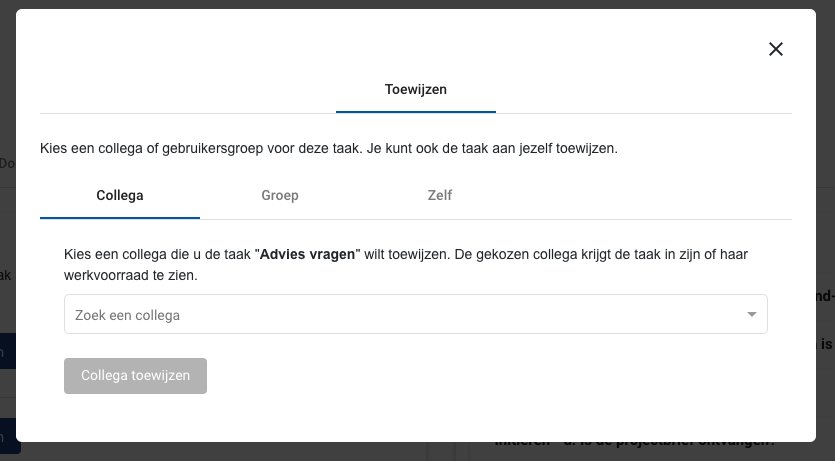
Re-assign task
Optionele acties
This part allows a user to create new tasks, which can initiate or terminate a process of a Zaak.
Adviseren en Accorderen
This is a table with an overview of active or historical Kownsl requests. By clicking on a row, the user can view detailed information of a Kownsl request. A user can also remind people to answer the request (“Rappelleren”) or cancel a request (“Annuleren”).
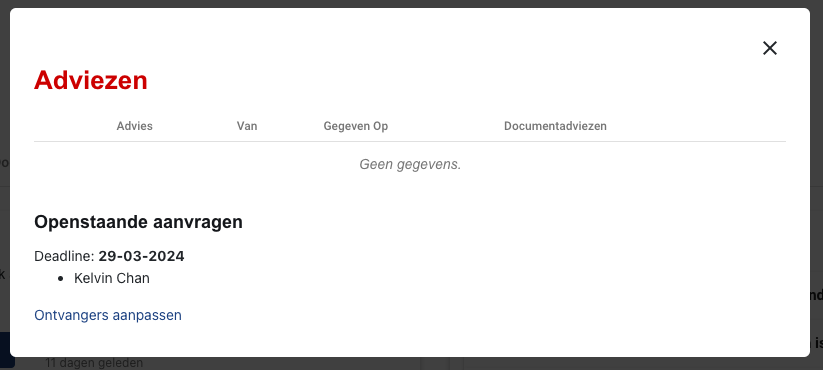
Detail view of a requests
The user is also allowed to change the recipients of a request. By clicking on “Ontvangers aanpassen” a new task in the “Acties” section above will be created.
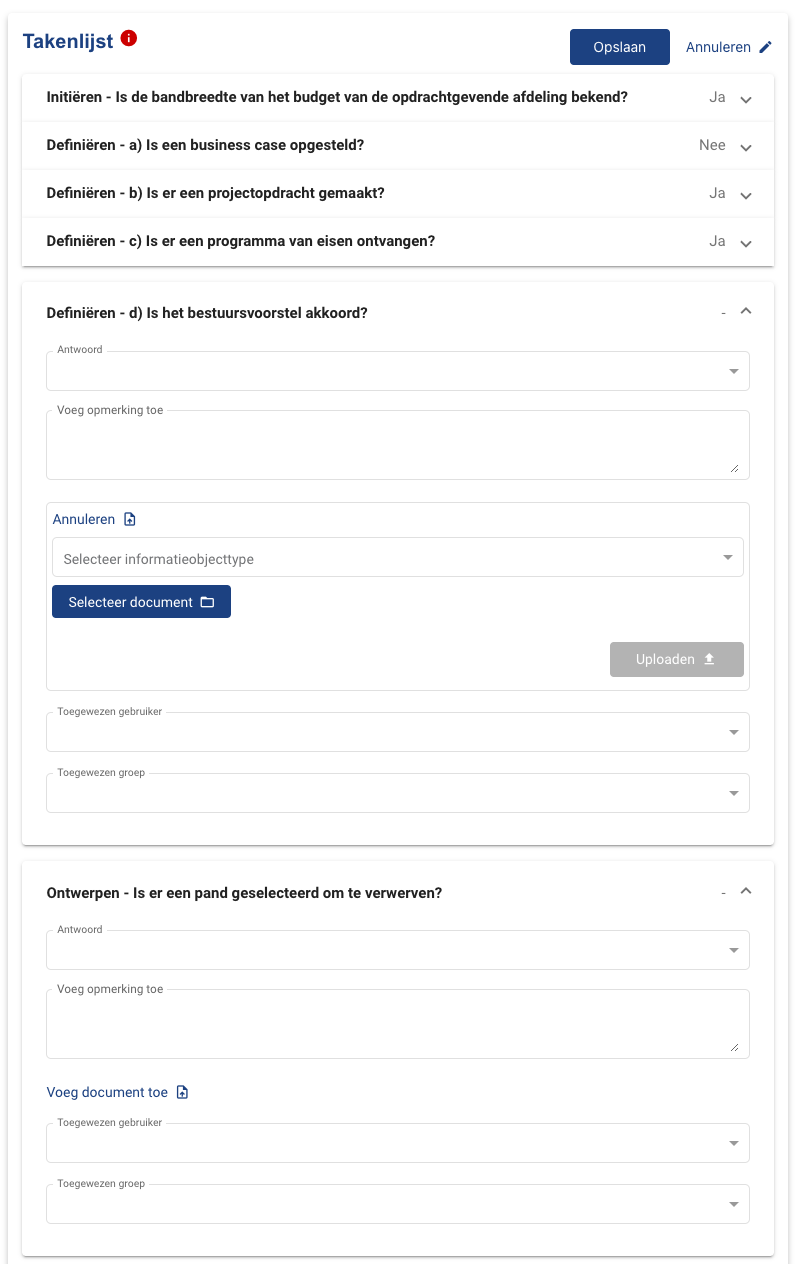
Takenlijst
This is task list of non-process-coupled tasks. Users can give answers or assign other users to a predefined task. Assigned users will find the task on their “Werkvoorraad” page. The task list can be configured on the
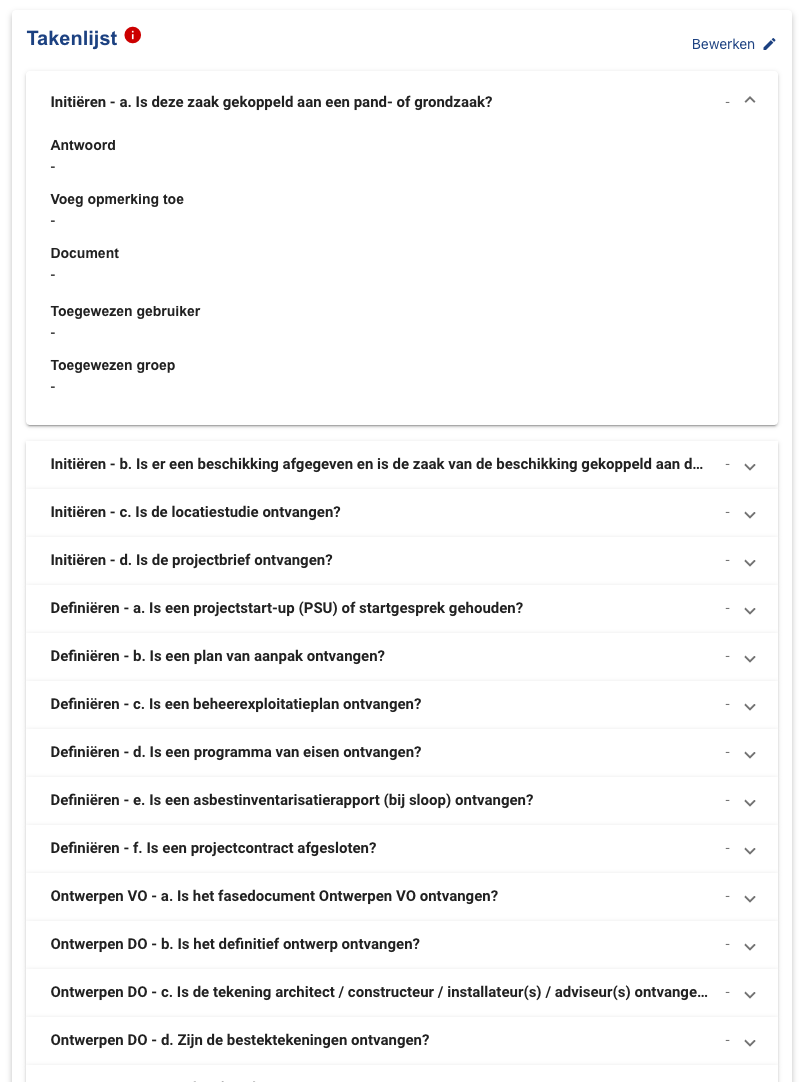
Task list
Edit task list